Apps
Thousands of apps, one click each
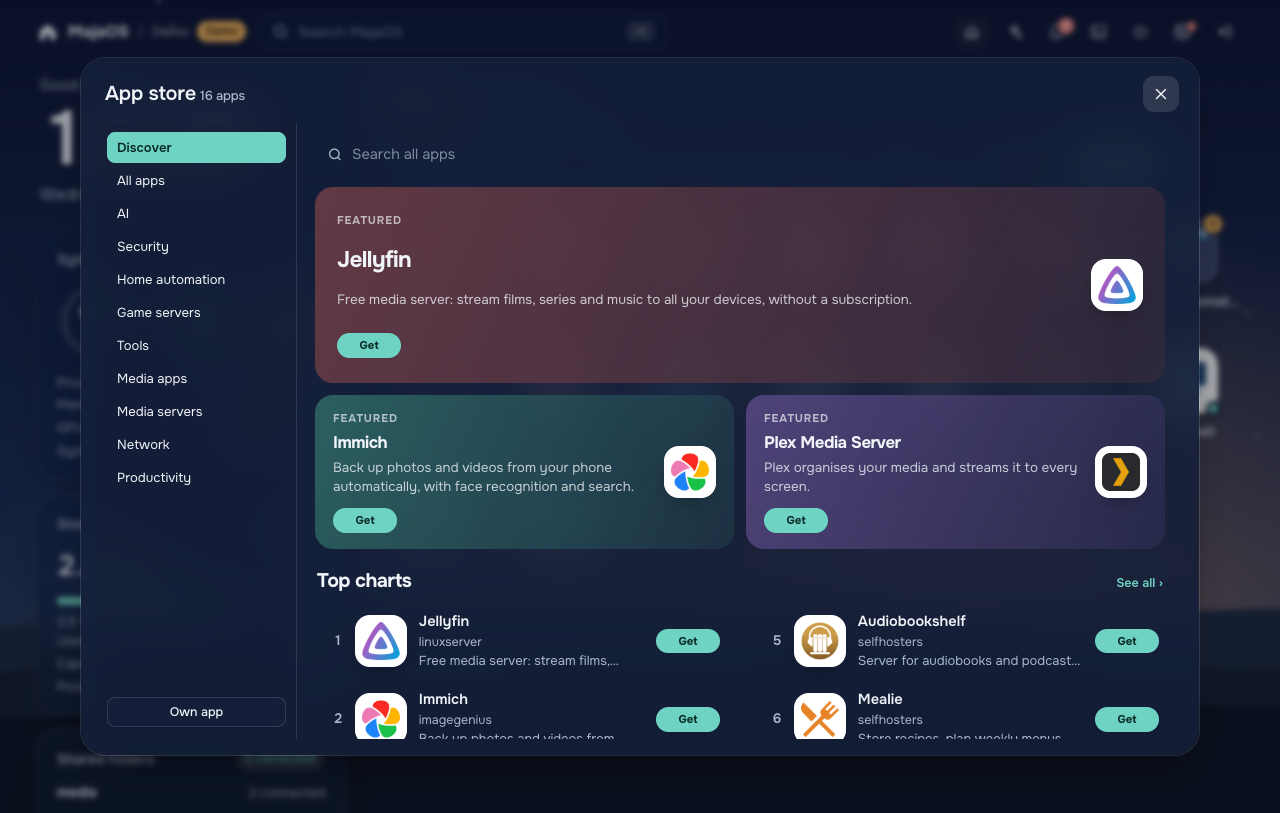
Almost 4000 apps, or any Docker image, installed with sensible defaults. And when you want it, full control over ports, folders, variables and network, down to the compose file.
Public beta
Turn any PC into a home server you run from the browser. Free, open source, and built on plain Debian, so you're never locked in.
The demo runs in your browser. Nothing to install.

No licence, no subscription, no cap on disks. MIT-licensed, every line on GitHub.
Plain Debian with ZFS, Docker Compose and KVM underneath. Your pools, apps and VMs keep working without MajaOS.
Lose the connection after a network change and it rolls back by itself. An update that doesn't start puts the old version back.
Ask in plain words, and let it do the work. With a local model, nothing leaves your home.
Apps
Almost 4000 apps, or any Docker image, installed with sensible defaults. And when you want it, full control over ports, folders, variables and network, down to the compose file.
Storage
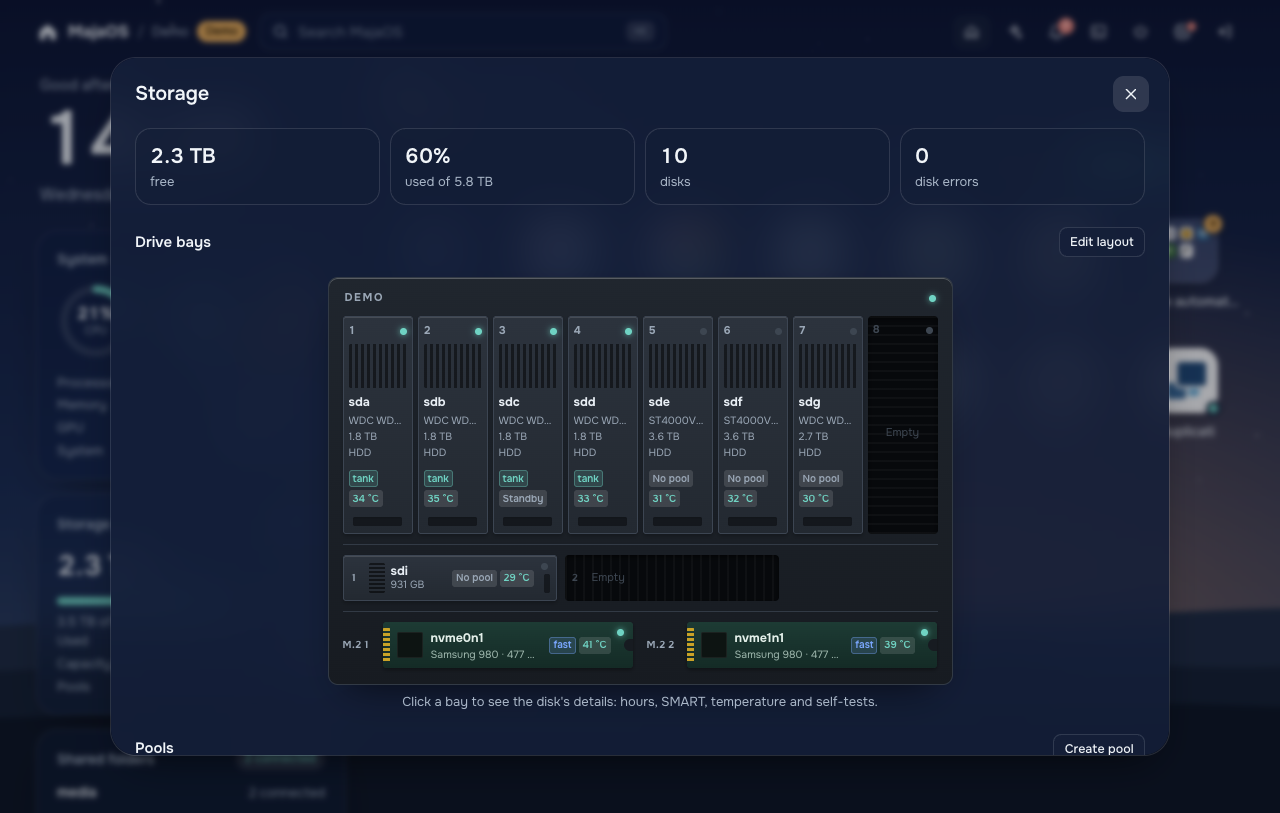
MajaOS draws your case and puts every disk in its bay, so a failing disk is never a guess. Leave a spare in, and a rebuild starts by itself when a disk fails.
Virtual machines
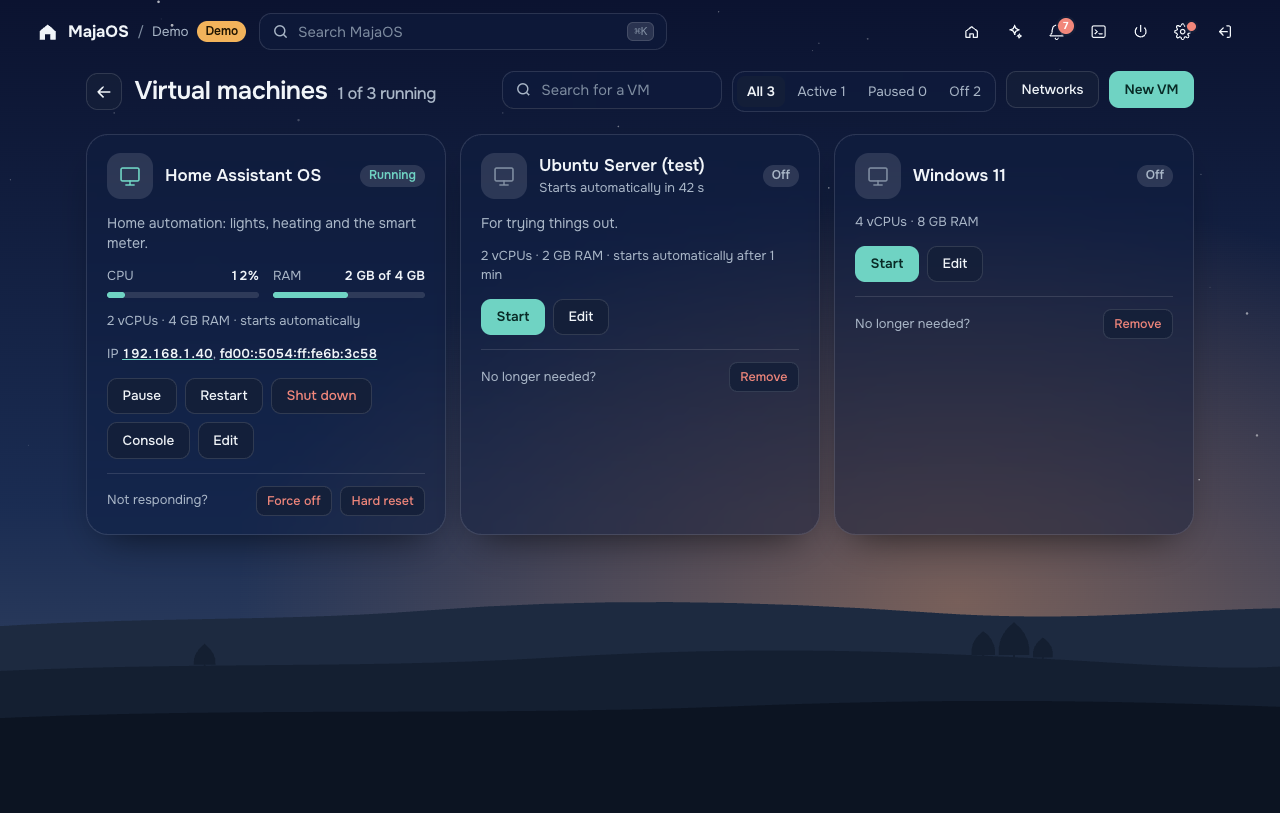
Home Assistant, Windows 11, OPNsense or anything that boots. MajaOS picks hardware the installer understands, and you can still pass through your graphics card or a USB stick.
AI
The chat can check and run almost everything in MajaOS for you. Use a model on your own graphics card (Ollama, LM Studio, llama.cpp, LocalAI) or Claude, or connect Claude, Cursor or VS Code to your server.
Example
Is everything okay with my disks?
storagedisk_details
Yes. All 10 disks are healthy and the pool tank is online; its last check, 9 days ago, found no errors. sdc is asleep, so I didn't wake it to read its temperature.
Restart Jellyfin, it feels slow.
app_action
Done. Jellyfin restarted and is running again.
An app for your PCs and Macs that pairs with a code, the server to any cloud encrypted, and snapshots of your apps and VMs.
Pick a language and a disk. The rest, from Debian to ZFS and Docker, sets itself up.
HTTPS, two-step sign-in and protection against password guessing, before you change a single setting.
Install
Any 64-bit PC with UEFI. Already running Debian 13? Install by hand.
Latest version
MajaOS beta
Installation ISO for 64-bit PCs
Download the ISO Release notes and checksumsThis is a beta. Try it on a test machine or in a virtual machine, not on a server with data you can't lose.
MajaOS is young. Running it on real hardware and telling what happens helps the most.
Tell us what worked and what didn't. Good news helps too.
Open a test reportPlain JavaScript, no build step, no dependencies.
Read the guideOne file per language. Native speakers especially welcome.
See the translationsLike MajaOS? You can also buy me a coffee on Ko-fi.